-
In uploading items, the Data Uploader shall be keen to details as the customers depend on the information given by the shop to them before they purchase a certain product.
-
Be responsible for all the information being inserted to the system and in platforms being utilized by Arenade in order to sell varied items to the target customers.
-
Remember to check banned items list to avoid penalty points.
Google Sheet For List Of Banned Keyword https://docs.google.com/spreadsheets/d/1roRnEVu2Twj3Kl6WJIASoEqTEWgP5-okm36WB_3QoLQ/edit#gid=0
The following figures and information are part of the step-by-step process in fulfilling the New Item Uploading in Lazada:
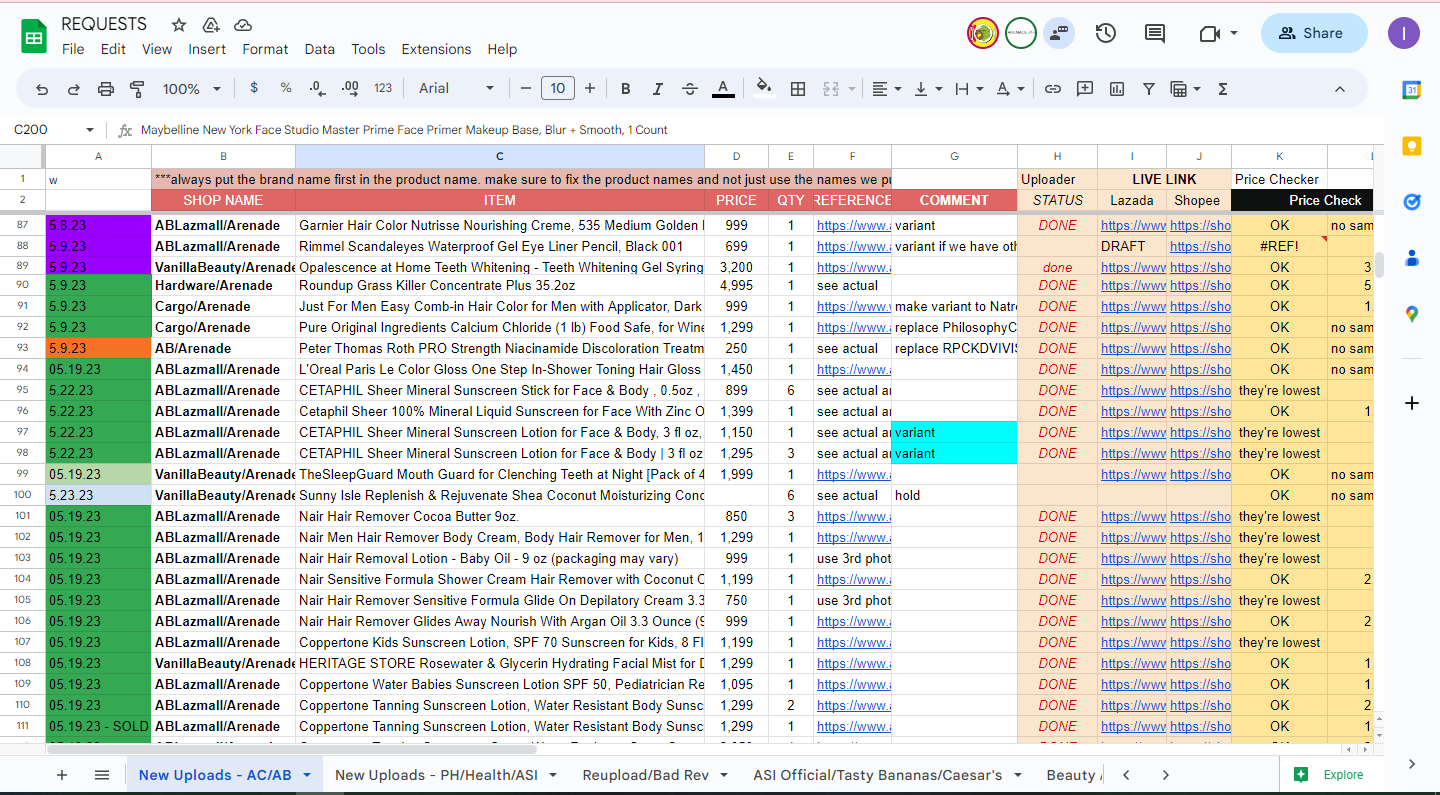
Figure 1: Overview Of New Uploads Tab in the Request Sheet
Figure 1 shows the actual Uploads Sheet as reference of the Data Uploader. The important parts in the Uploads Sheet that the Data Uploader shall observe are the Columns A to J.
- Column A: serves as the resolution updates in the uploaded items of the Data Uploader. Ideally, the Data Uploader shall put the green tag in proportion with the specific item that the Data Uploader is currently working on. In putting the green tag in Column A, the Data Uploader shall ensure that the item is uploaded in an excellent manner, and with stocks. In addition, the inventory has access to the same sheet and they can give information if there is a lack of information or mistakes in the said uploaded item.
- Column B: shows the Shop Name on where the item shall be uploaded. The inventory puts the shop code for Lazada and includes the full shop name in Shopee.
- Column C: presents the Item Name as reference of the Data Uploader in putting the accurate and complete information of the item in the product name, itself. Note: In creating the product name, the Data Uploader shall ensure that the brand name shall come first, followed by the specific information of the product as shown in the physical appearance of the product itself. The product name shall always end in the volume or weight of the item. If the former and the latter are not available, the Data Uploader shall include the quantity of the product that the customer shall receive. In addition, if there is a code in the product itself, the Data Uploader shall put it at the end of the product name with open and close parenthesis.
- Column D: presented the price of the item is in in which the Data Uploader shall follow while uploading a specific item.
- Column E is the Quantity that serve as the reference of the Data Uploader in terms of adding stocks to concerned platforms.
- Column F: provided link of the inventory for the item reference where the Data Uploader can gather images and description of the item from that attached link. Note: If the information of the item is not the same with the provided reference, the Data Uploader can look for other sources in order to ensure that the uploaded information are accurate and prevents issues upon receiving the item on the customer’s end.
- Column G: the inventory sets remarks as guide of the Data Uploader upon uploading the product in the platforms. Note: This column is essential, particularly if there is indicated information to avoid confusion at the end of the customer.
- Column H: illustrates the status that serves as the indicator of the inventory if the item has been uploaded with complete details. The Data Uploader is the one who fills up the said column. Note: Mostly, the Data Uploader puts “done” if there is no error in the uploaded item and if the stock is available on that specific item.
- Columns I and Column J: is the uploaded product link for Lazada and Shopee, respectively. As reference of the junior team lead, supervisor, inventory, and manager.
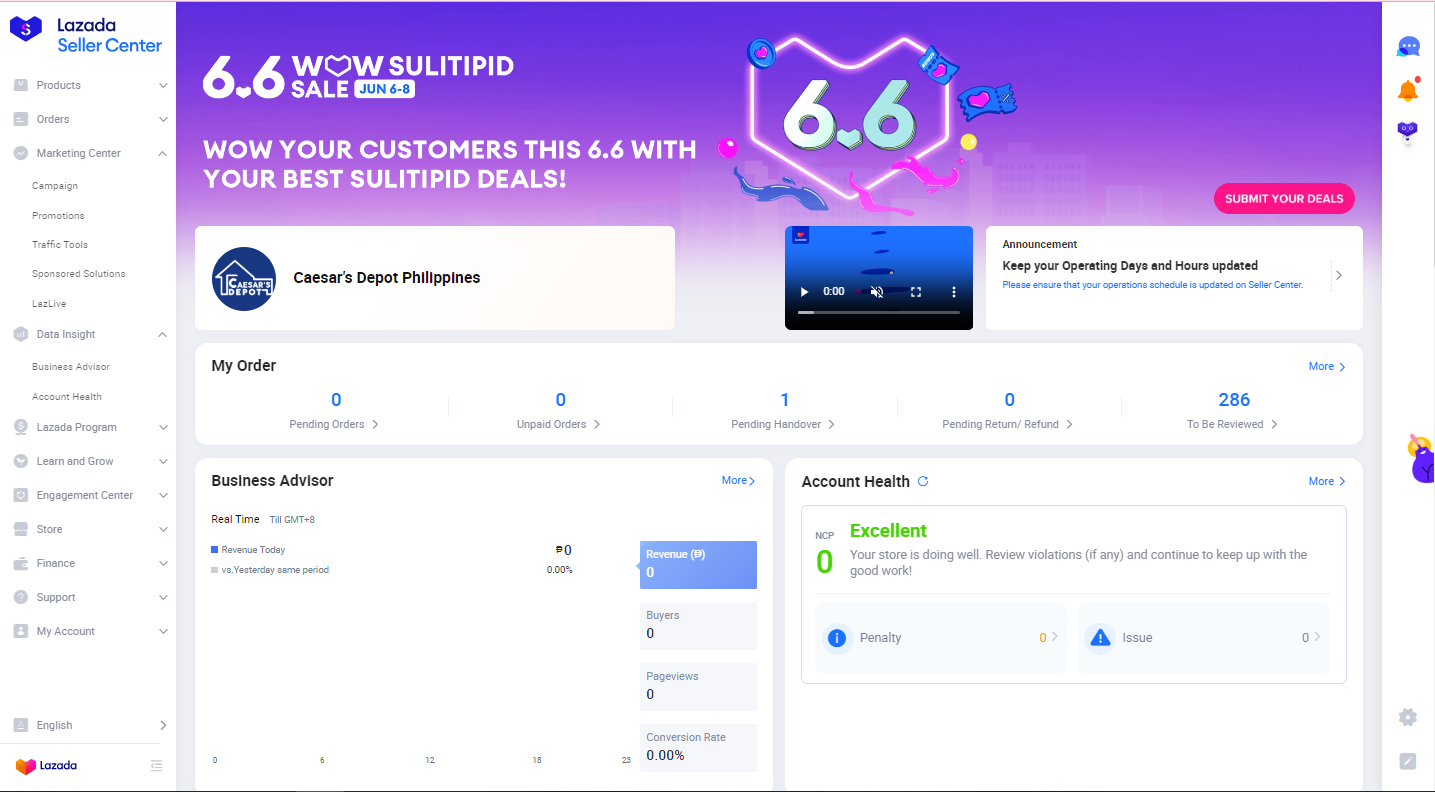
Figure 2: Overview of the Seller Center in Lazada
Figure 2 presents the overview of the next step in order for the Data Uploader to proceed to uploading a new item. The Data Uploader shall hit “products > add products” in order to be directed to another page.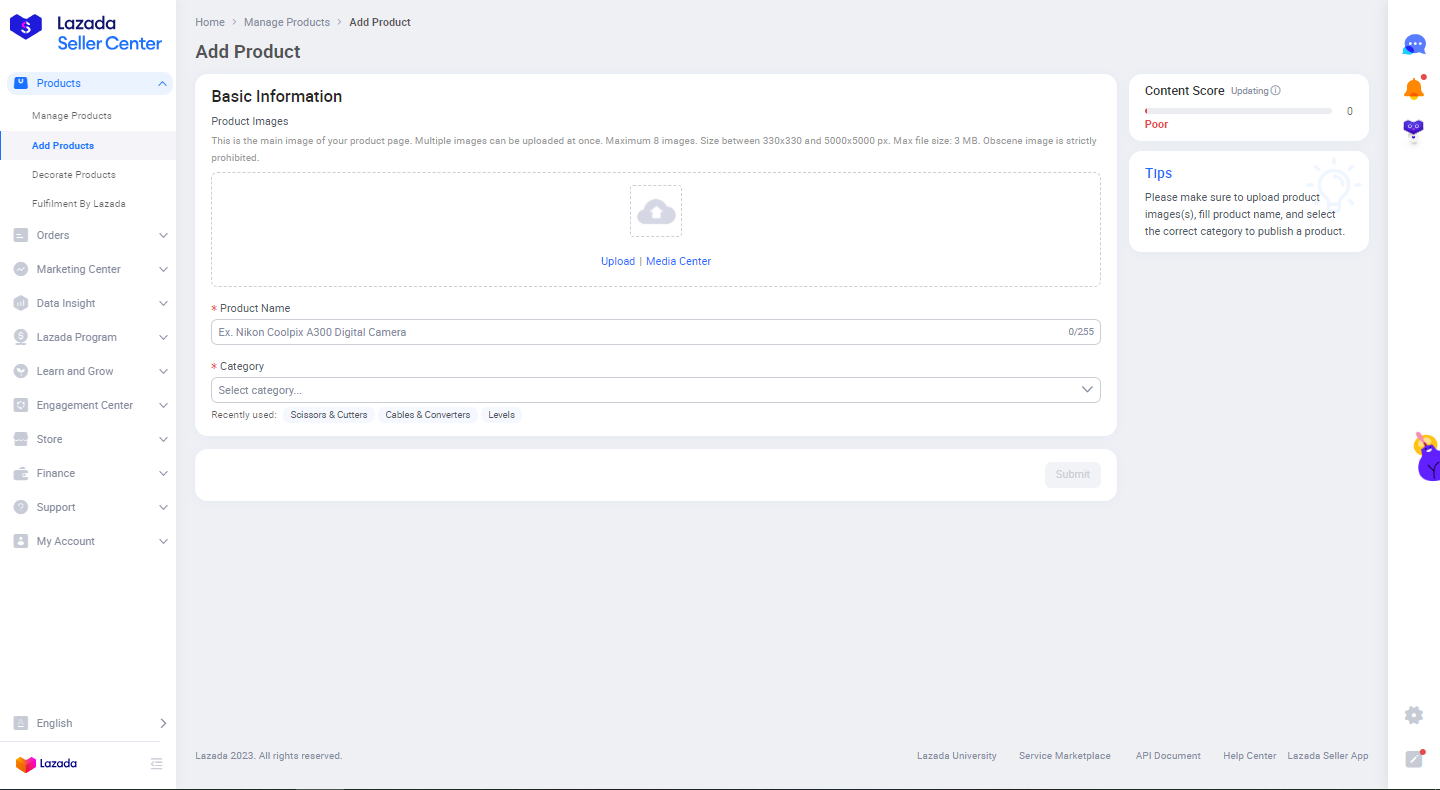
Figure 3: Overview of the Add Products Page in Lazada
Figure 3 demonstrates the next step in uploading new items in Lazada. The Data Uploader shall get information in the excel file with a file name “Request” and proceed to “Uploads Sheet” in order to get the necessary information from the list of items that need to be uploaded.
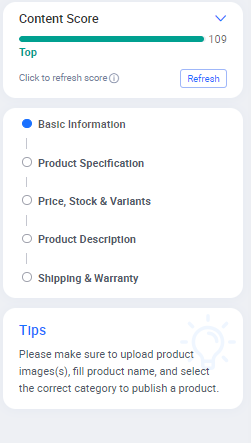
Figure 4: Overview of the Content Score in Lazada
Figure 4 presents the Content Score in Lazada in which it determines if the item being uploaded is excellent enough to be uploaded after putting the necessary information of the item in the said platform. It is mandatory for the Data Uploader to ensure that the Content Score in Lazada is excellent before its submission.
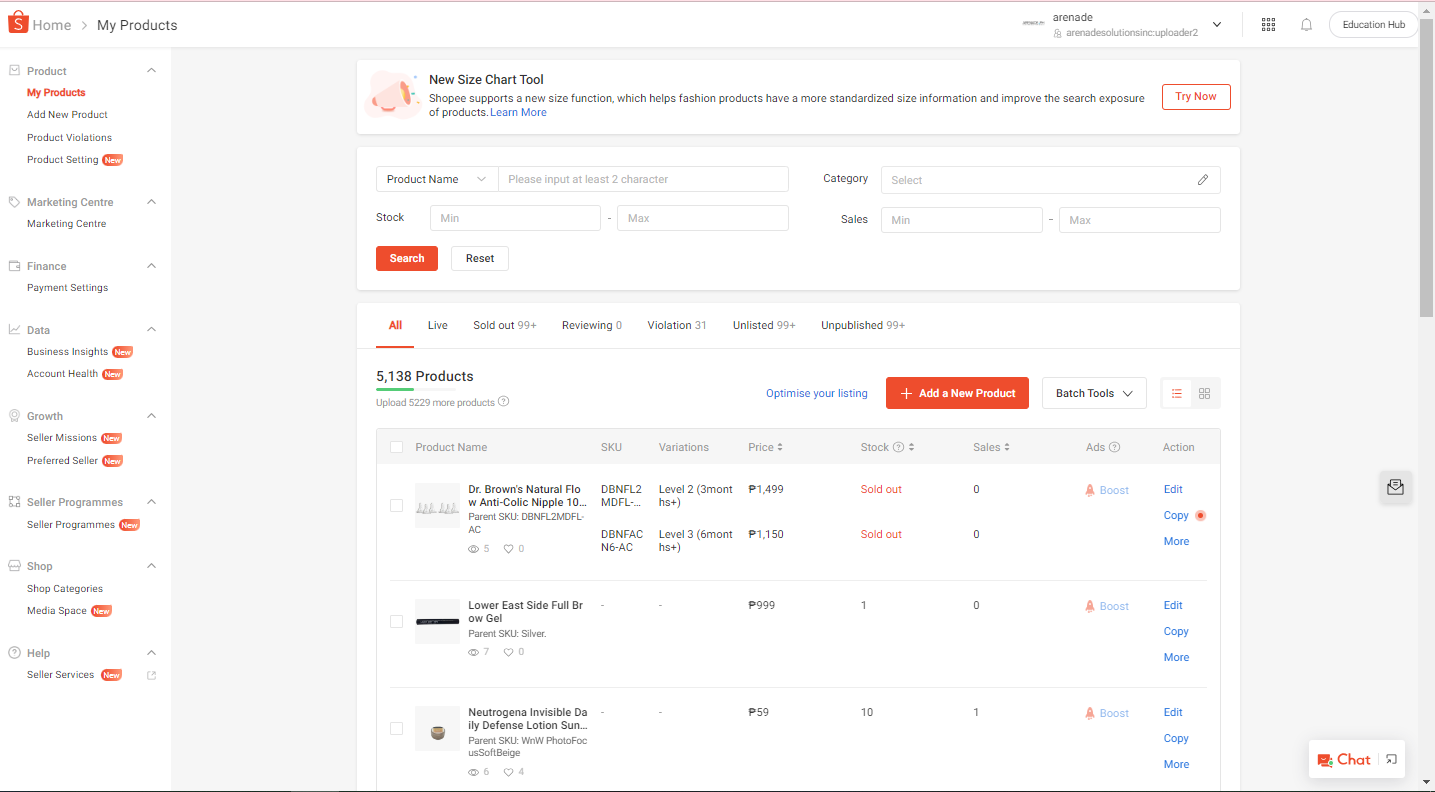
Figure 5: Overview of the Seller Center in Shopee
Figure 5 shows the Seller Center in Shopee that will serve as the reference of the Data Uploader upon opening a certain shop in the said platform.
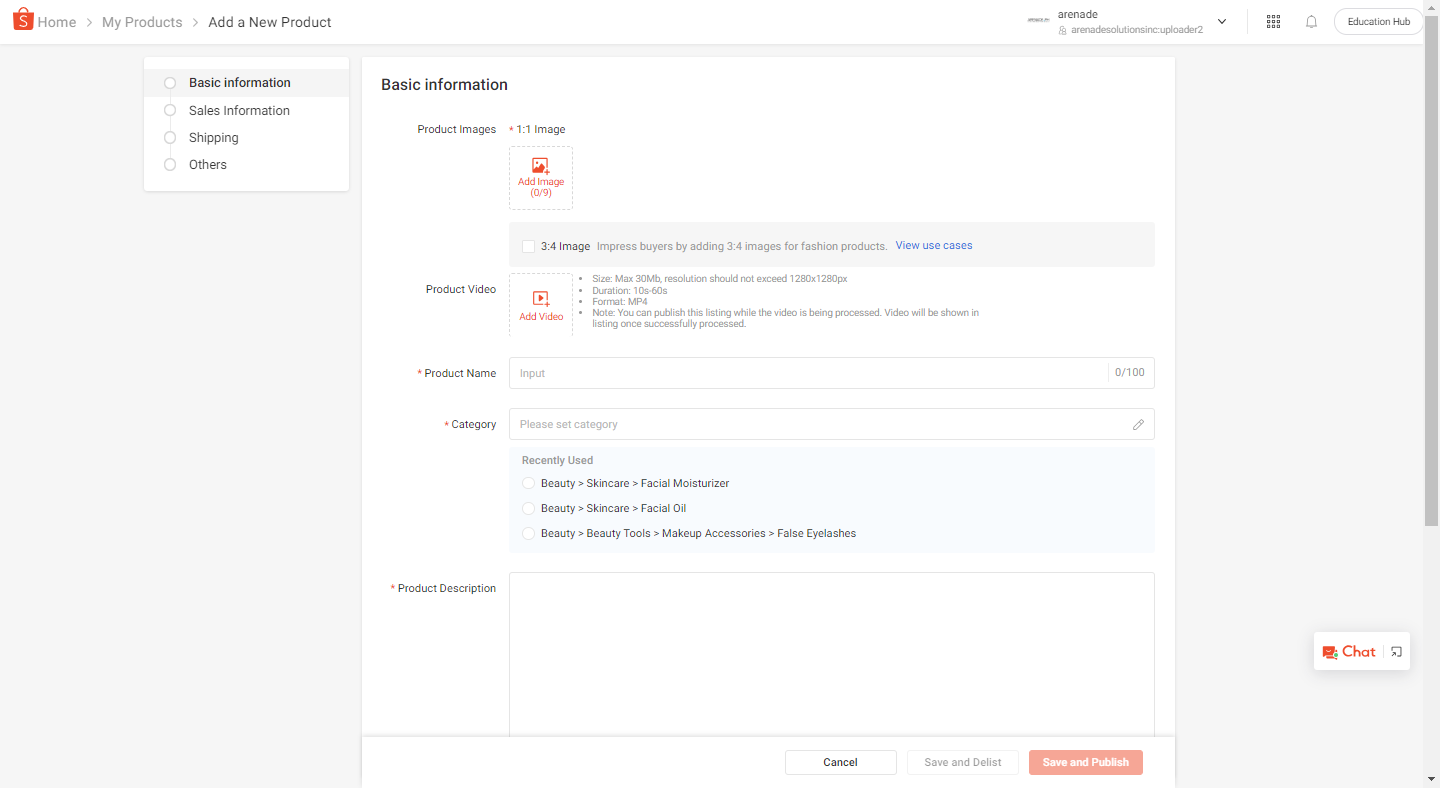
Figure 6: Overview of Add Product in Shopee
Figure 6 demonstrates the Add a New Product page in Shopee. It is almost the same in Lazada in which the Data Uploader can copy the information in Lazada and paste them in Shopee. The Data Uploader shall still ensure that a minimum of three (3) photos shall be uploaded but the product name shall be limited to 100 characters, including space, so the Data Uploader shall change the product name in case that they are over 100 characters. Note: To prevent time mismanagement, the Data Uploader is advised to create a maximum of 100-character product name in Lazada to avoid revisions or changes in product name under Shopee. Lastly, the Data Uploader shall copy the short description of the product in Lazada and paste it in the product description in Shopee.
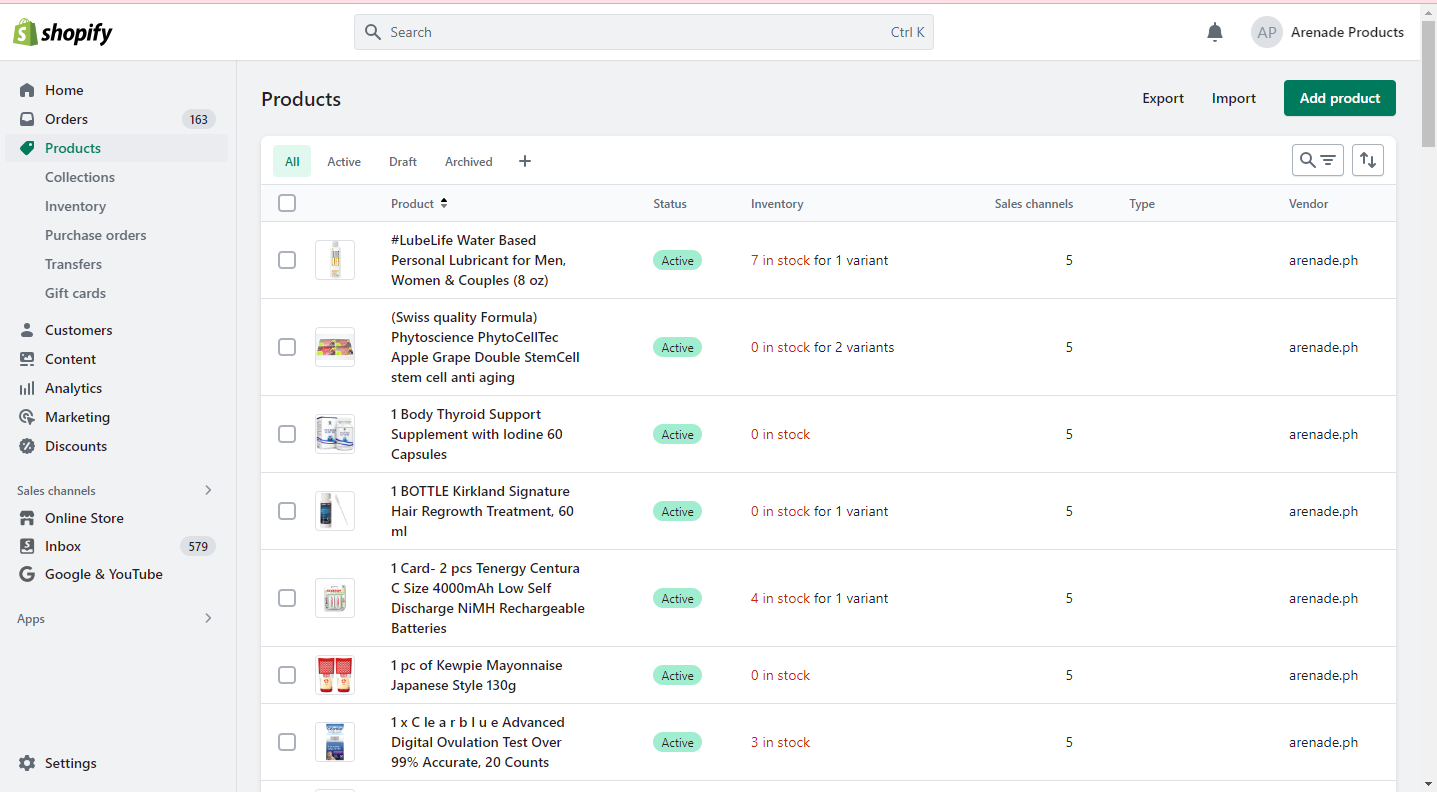
Figure 7: Overview of Product Section in Shopify
Figure 7 shows the Product section and the process of adding a product in the said platform.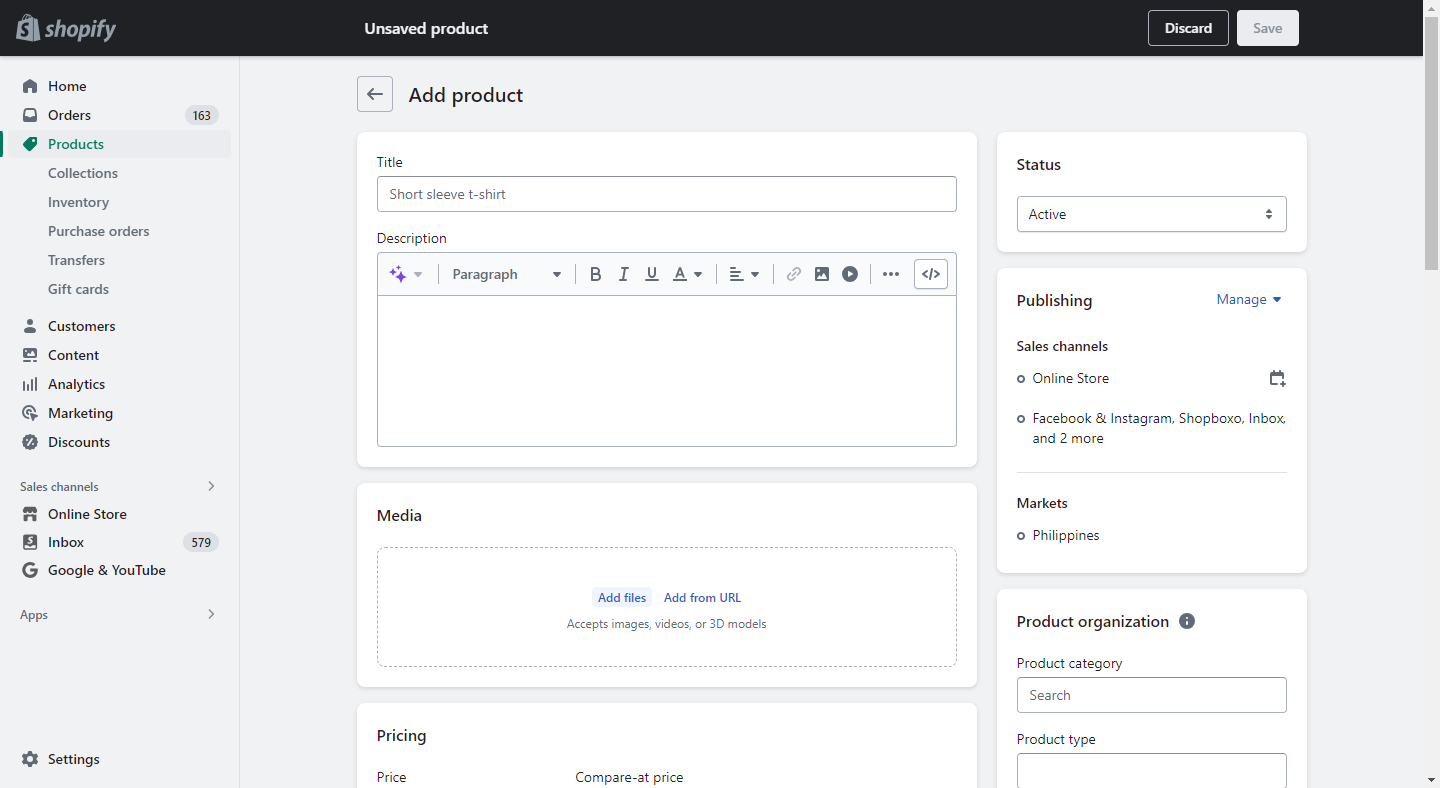
Figure 8 demonstrates the Add Product section in which the Data Uploader can copy the product name of the item from Lazada and paste it in Shopify. In addition, the Data Uploader shall copy the long description of the item in Lazada and paste it in Shopify. After completing the necessary information, the Data Uploader shall hit SAVE in the upper right corner of the shop in order to upload the item.